
Bulk Update Shifts
Where: Admin portal → Configuration → Bulk Update Shifts
Route: /configuration/employee-shifts
Find employees by working location and shift, see which shift each one is on, export the list to Excel and move an employee to a different shift. Despite the name, a shift is changed for one employee at a time, using the Update icon on that employee's row.
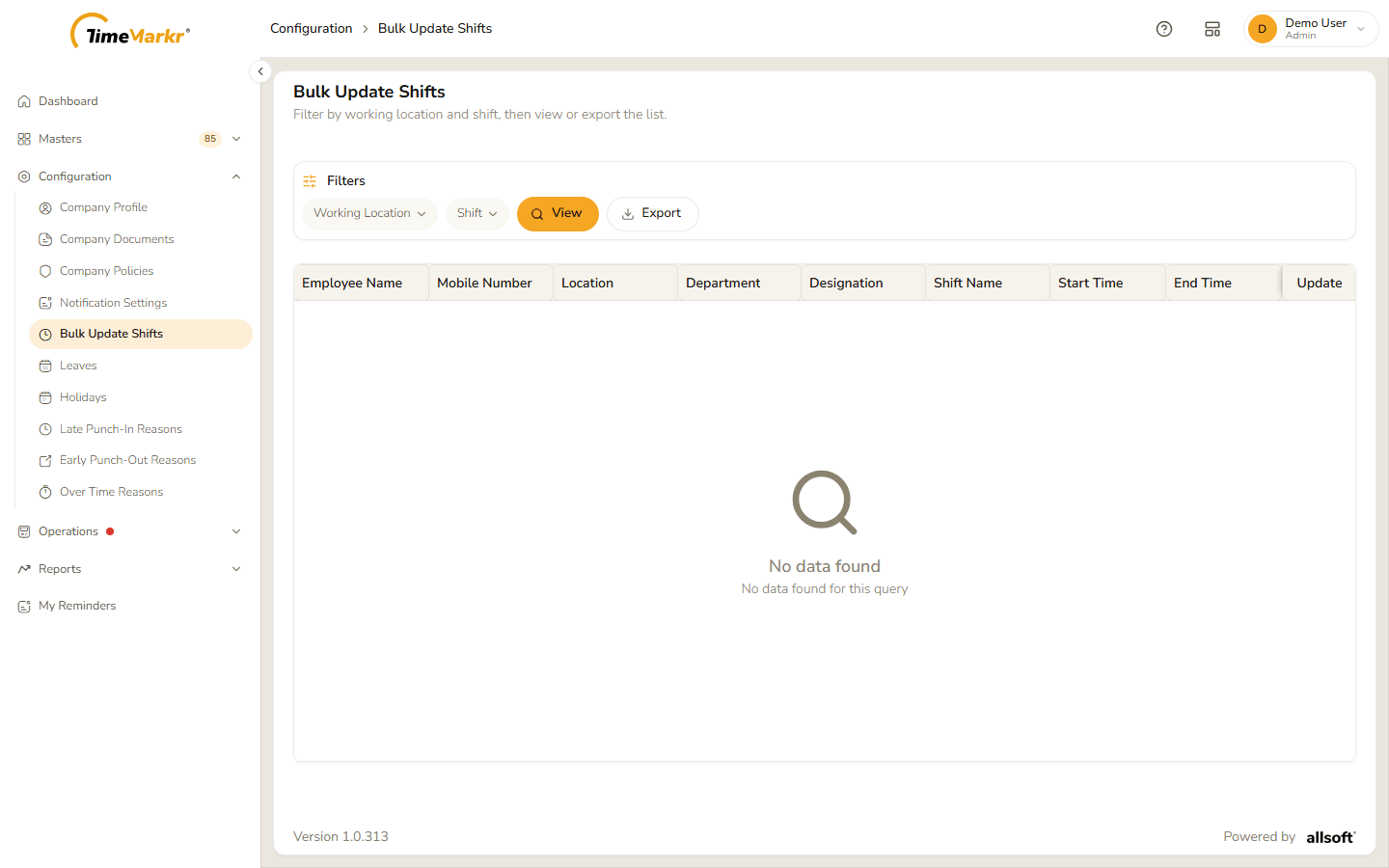
The page says "Filter by working location and shift, then view or export the list." Until you click View the table is empty and shows "No data found – No data found for this query".
1. Filter and view
The Filters card has two filters – Working Location and Shift – and the buttons View, Export and, once a filter is set, Clear all filters.
Click Working Location. A small panel opens with a list that starts on All.
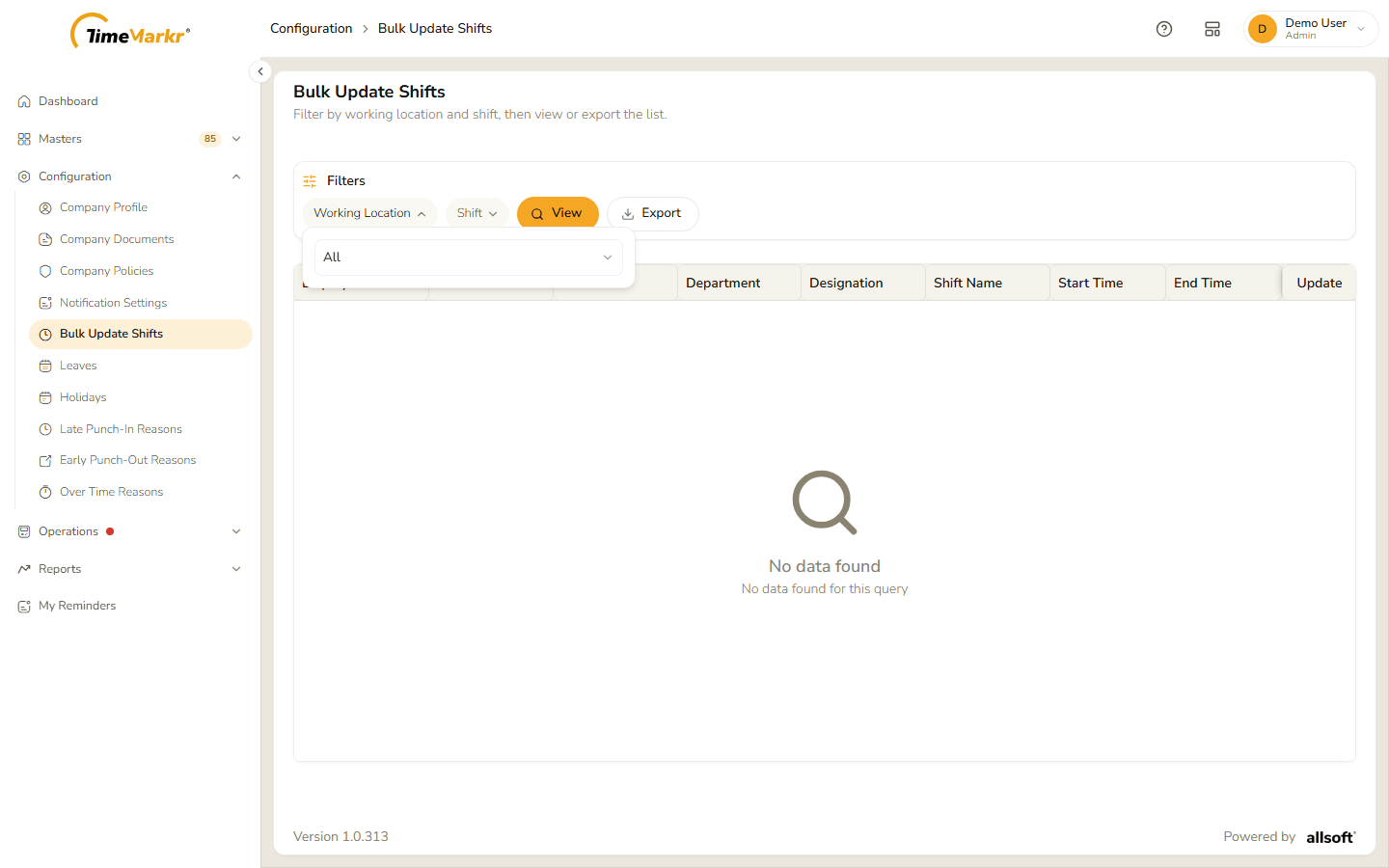
The filter panel Click the list and choose a working location.
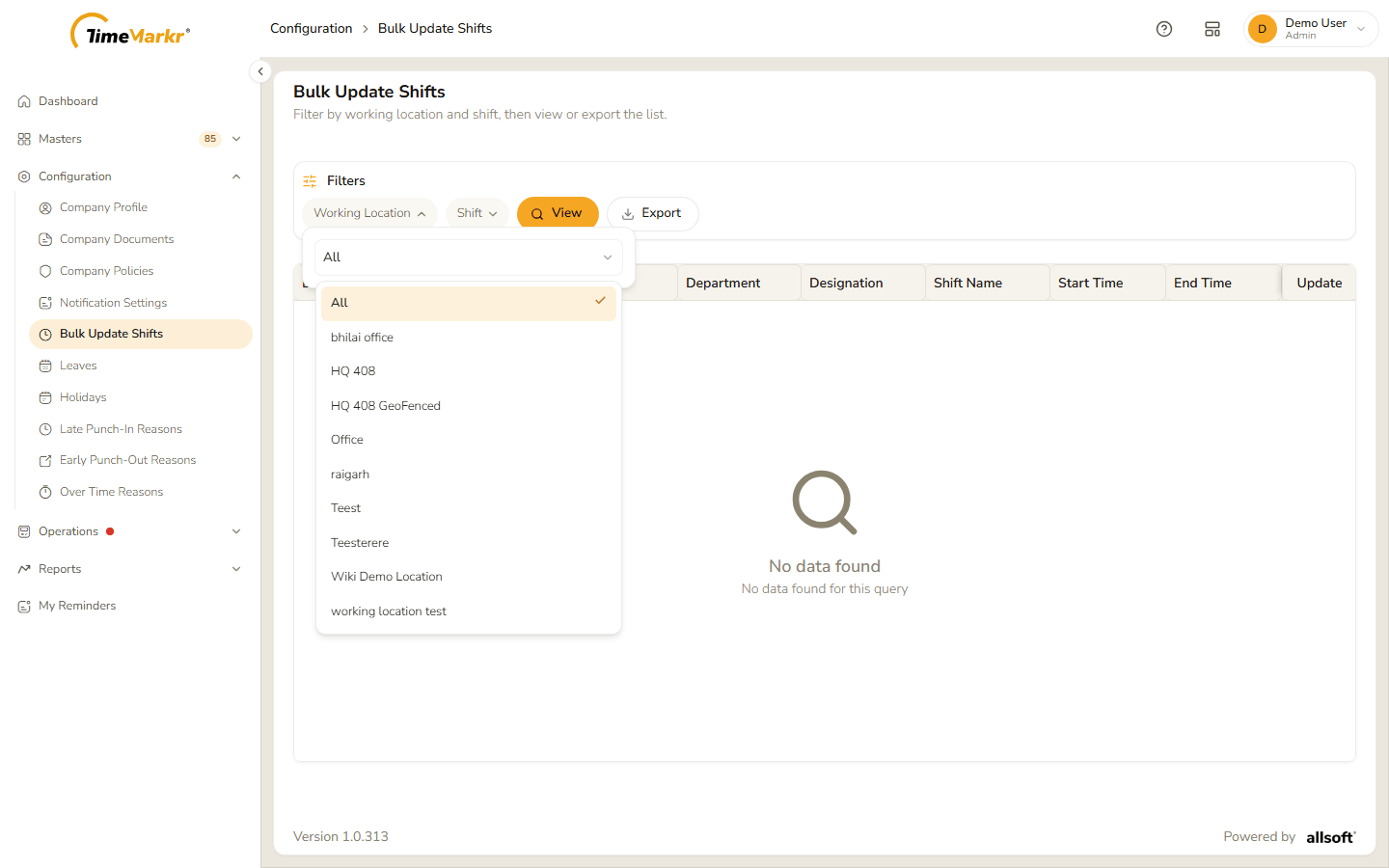
The working locations to choose from - Choose a Shift the same way if you want to narrow the result further. The filter's button now shows its value, for example Working Location · Wiki Demo Location; the cross on it clears that filter.
Click View.
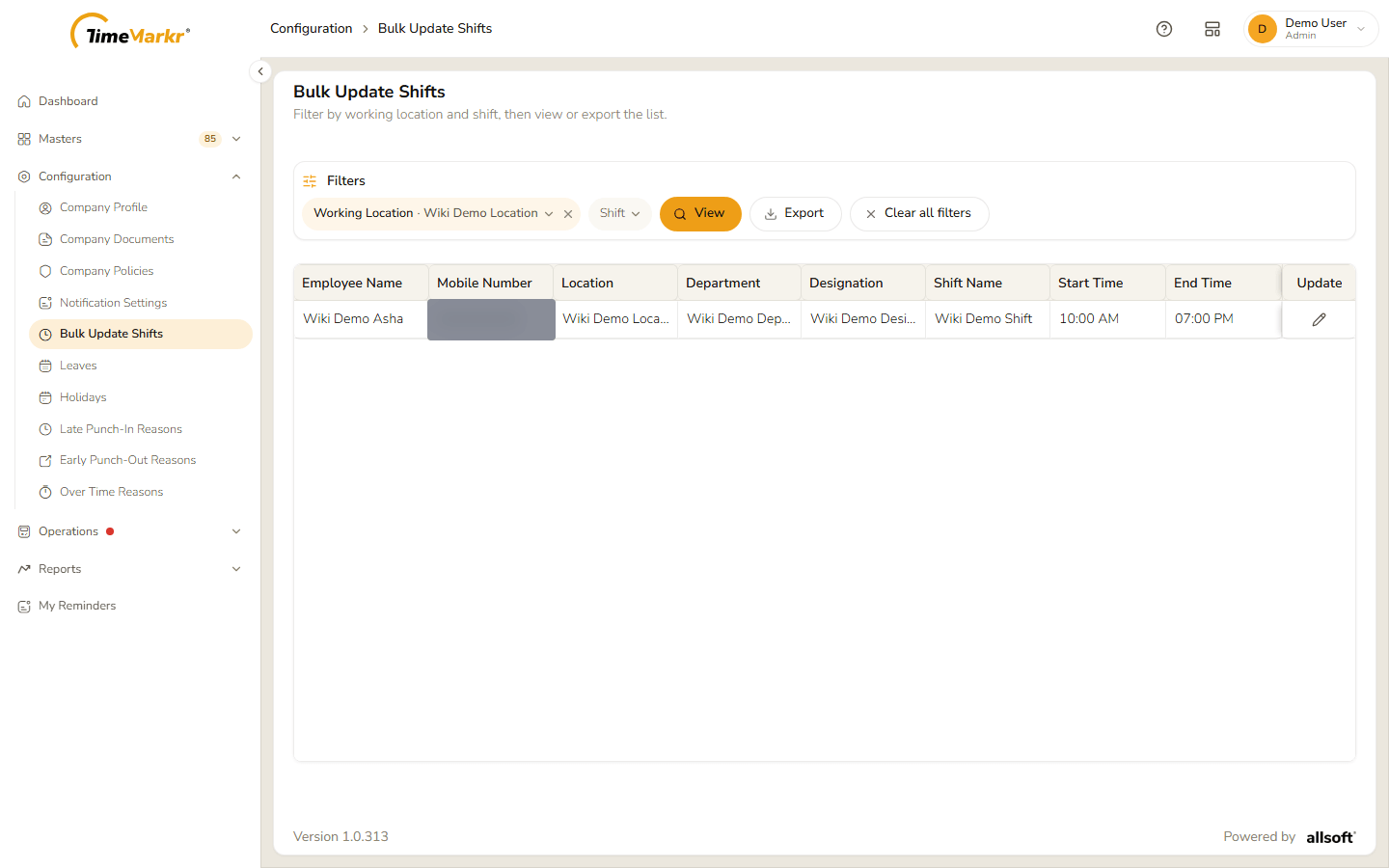
The filtered employees
| Column | What it shows |
|---|---|
| Employee Name | The employee. |
| Mobile Number | The employee's mobile number (blurred in the screenshot). |
| Location | The working location. |
| Department / Designation | From the employee's profile. |
| Shift Name | The employee's current shift. |
| Start Time / End Time | The shift's hours. |
| Update | A pencil to change the employee's shift. |
2. Export to Excel
Click Export to download the list as an Excel file (.xlsx).
3. Change an employee's shift
Click the pencil in the Update column. The Update shift dialog shows the employee, the shift the employee is From, and the shift they will be moved To.
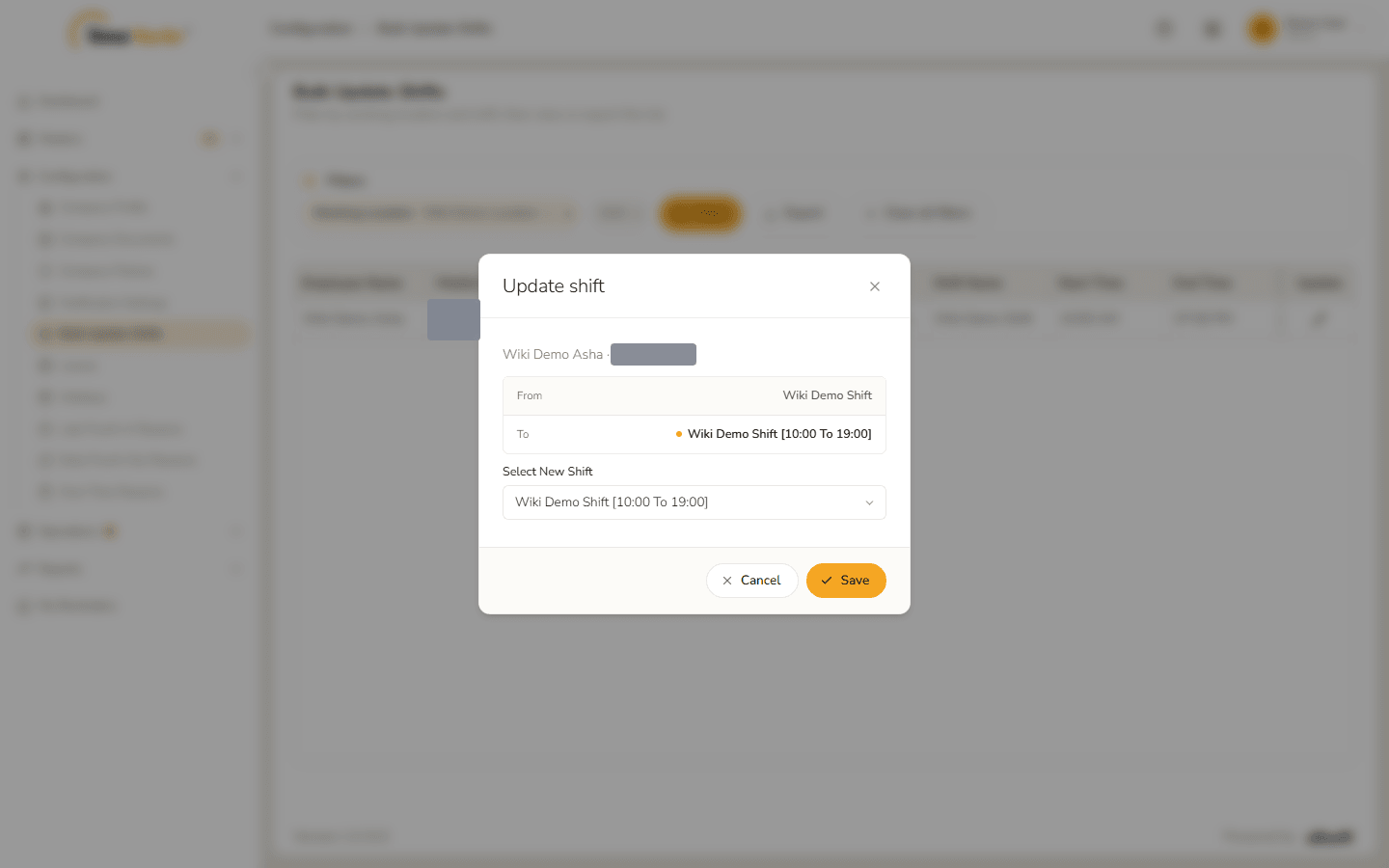
Update shift dialog Open Select New Shift and choose a shift. Every shift is listed with its hours, for example
General Office Shift 2 [10:00 To 19:00]. The To line changes to match.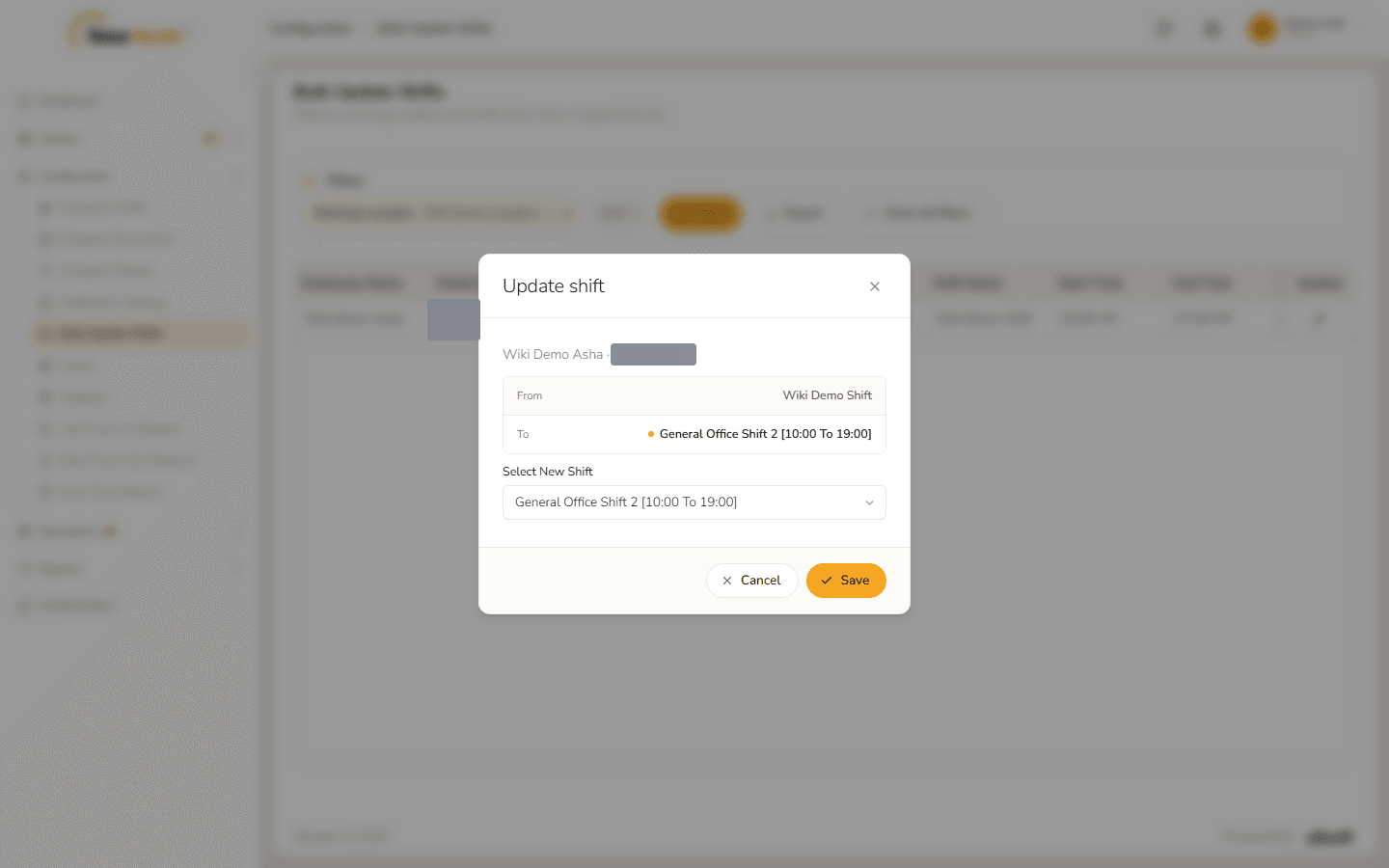
A new shift chosen Click Save. Shift updated – Shift information updated successfully. confirms it. Click Got it.
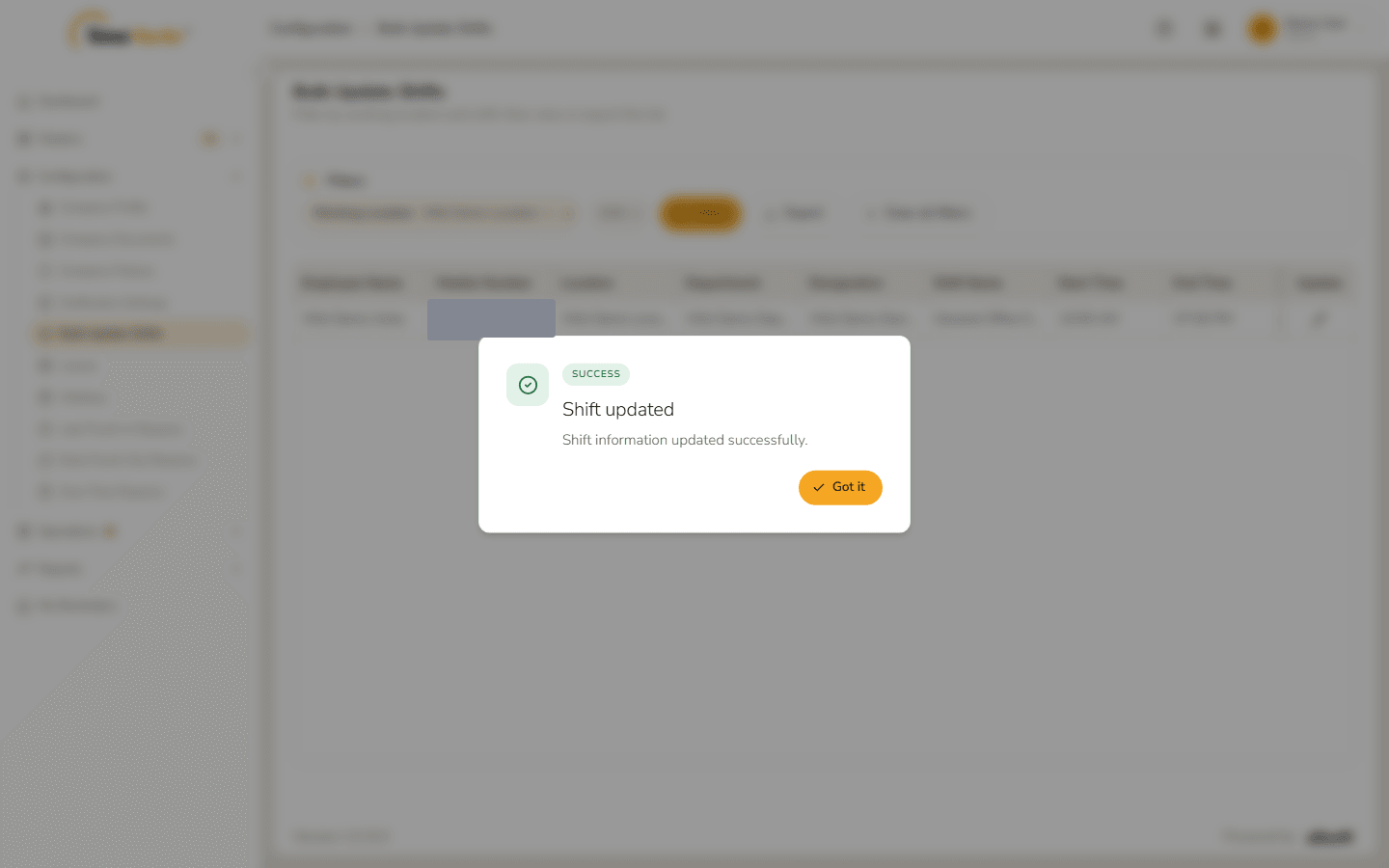
Shift updated The row shows the new shift and its hours.
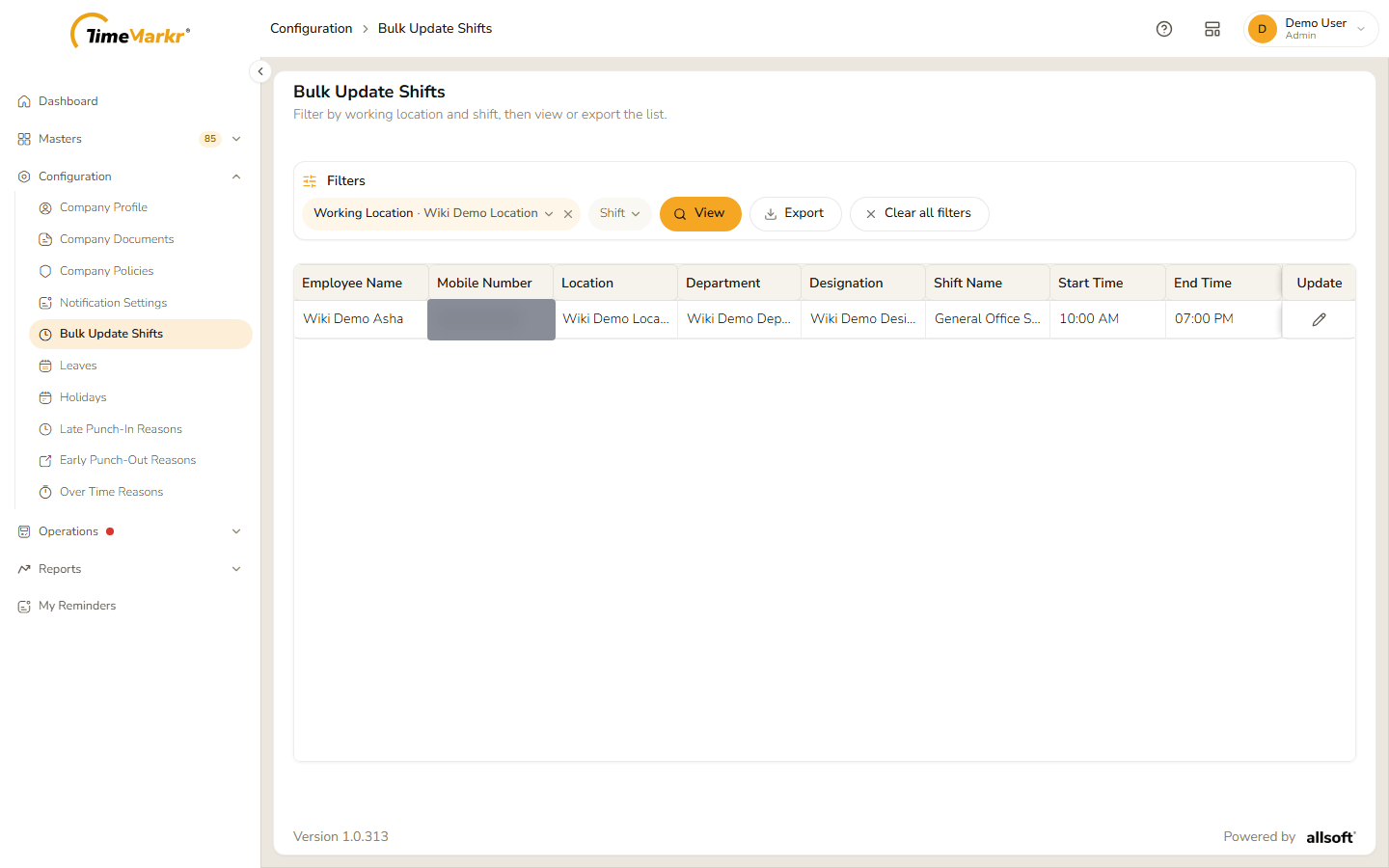
The list after the update
Related: Shift · Employee · Work Location