
Dashboard
Where: Employee portal → Dashboard (the first entry in the menu)
Route: /employee/dashboard
Your day at a glance: whether you have punched in, your leave balance, how punctual you have been and what you did lately. Nothing needs to be chosen – the page fills in as soon as it opens.
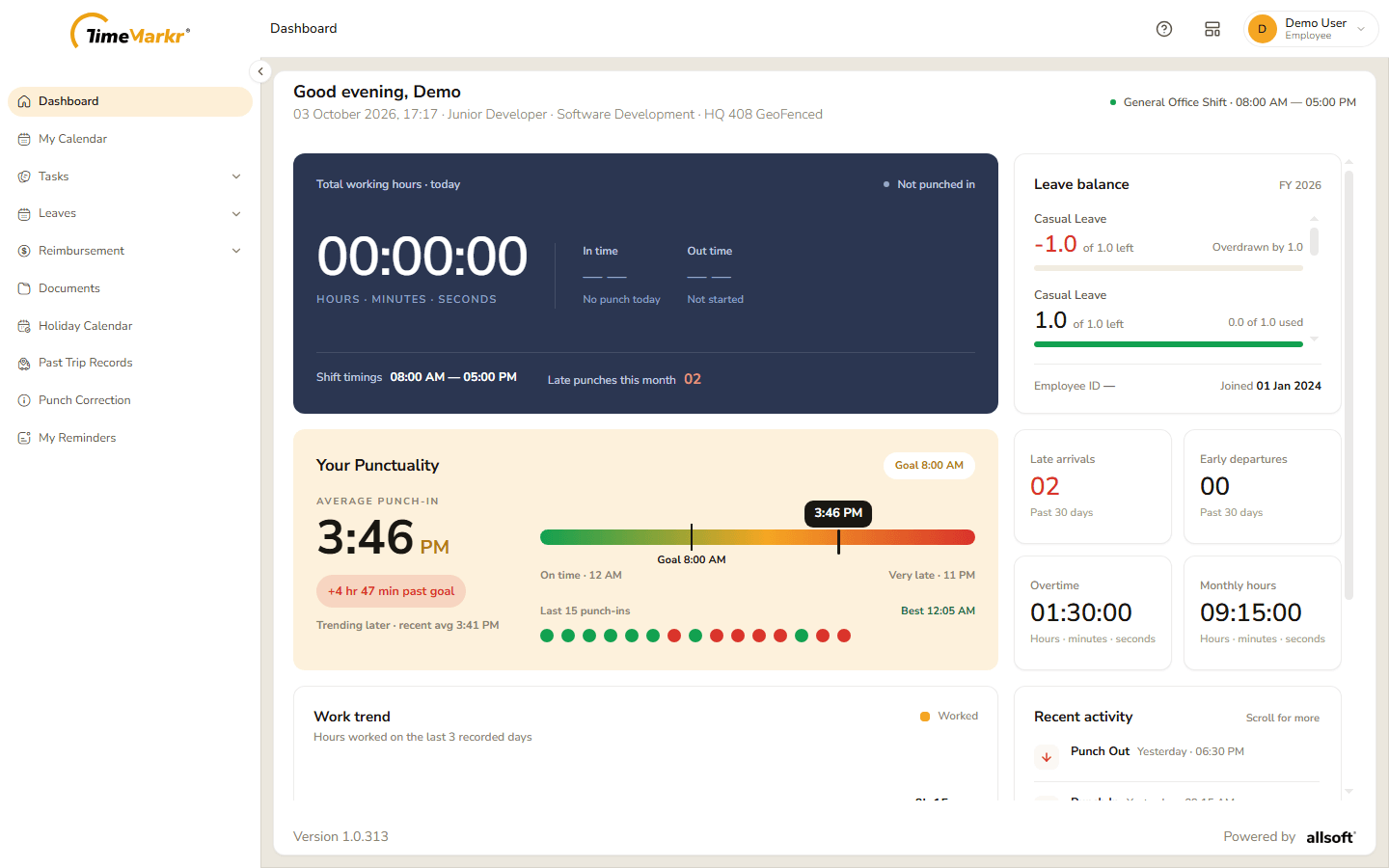
The top of the page
- Greeting and details – Good evening, <your first name> with today's date and time, your designation, your department and your working location.
- Shift – at the top right, the name and the hours of your shift, for example General Office Shift · 08:00 AM — 05:00 PM.
Today
The dark card sums up the day.
| Item | What it shows |
|---|---|
| Total working hours · today | A clock of the hours, minutes and seconds you have worked today, and Not punched in or your status beside it. |
| In time / Out time | When you punched in and out today – No punch today and Not started until you do. |
| Shift timings | The hours of your shift. |
| Late punches this month | How many times you punched in late this month. |
Leave balance
The card on the right lists each leave type for the financial year with how much is left – for example 13.0 of 22.0 left – and how much has been used, and a bar. A balance that has gone below zero is shown in red as Overdrawn. Scroll the card for the rest. At the bottom are your Employee ID and the day you Joined. To ask for leave, see Leaves.
Your Punctuality
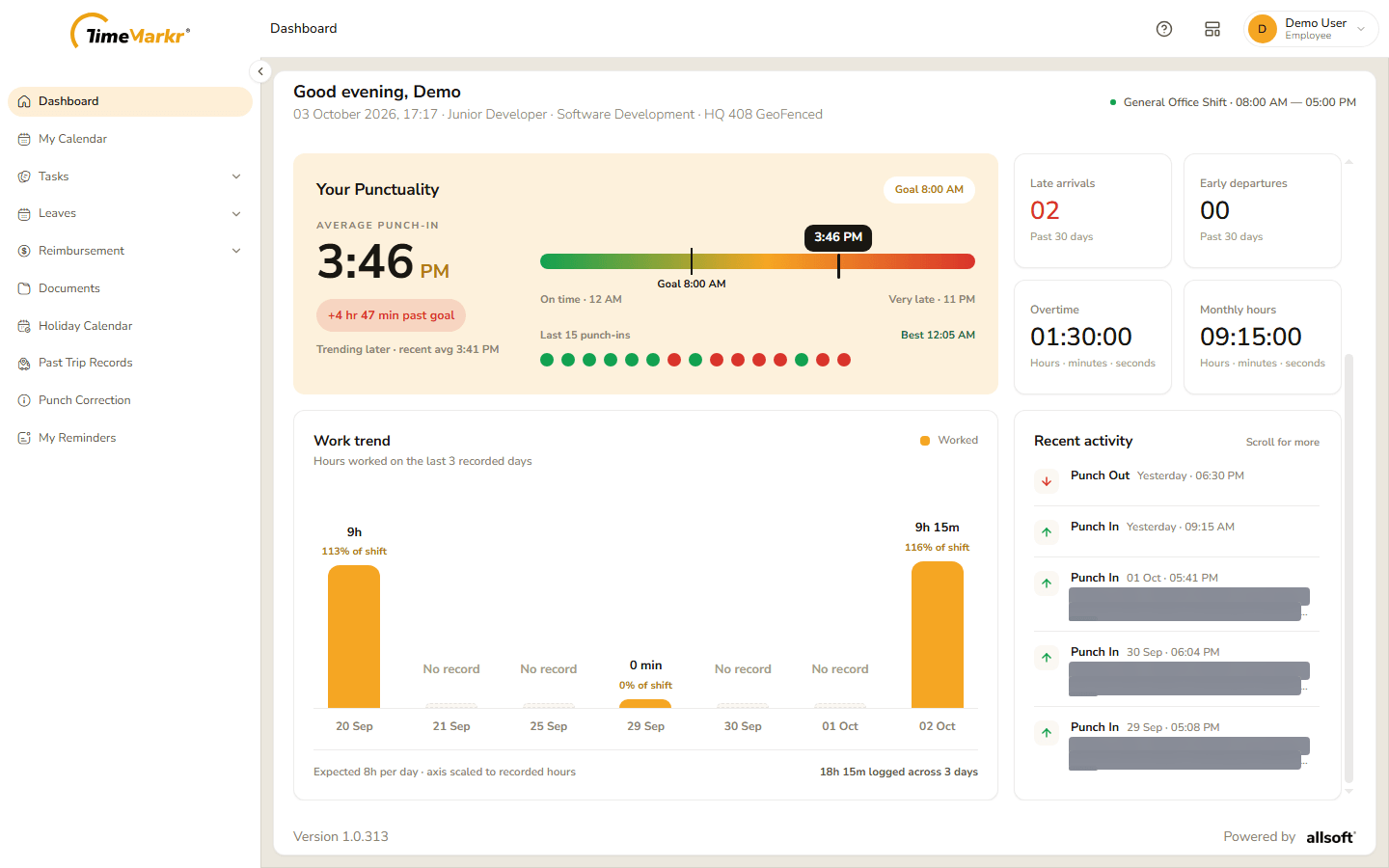
- Average punch-in – the average time you punch in, with how far it is from the Goal (the start of your shift) and whether you are Trending later or earlier, with the recent average.
- The coloured bar runs from On time to Very late; a black marker shows your average and another the goal.
- Last 15 punch-ins – one dot for each of your last fifteen punch-ins, green for on time and red for late; Best gives your earliest.
Four small tiles follow:
| Tile | What it shows |
|---|---|
| Late arrivals | How many late punch-ins in the past 30 days. |
| Early departures | How many early punch-outs in the past 30 days. |
| Overtime | The overtime you worked, in hours, minutes and seconds. |
| Monthly hours | The hours you worked this month. |
Work trend and recent activity
- Work trend – a bar for each of your last recorded days showing the hours worked and the share of your shift (9h · 113% of shift). Days without a record say No record. The line under the chart – Expected 8h per day – gives the target and the total logged.
- Recent activity – your latest punches, newest first, each with its day and time and, for a punch-in, where it was made. Scroll the list for more.
Related: My Calendar · Leaves · Punch Correction