
My Calendar
Where: Employee portal → My Calendar
Route: /employee/my-calendar
Your attendance, one month at a time: for every day when you punched in and out, how long you worked and whether you were on time. Click a day to see its punches in detail and, if something is wrong, to ask HR for a correction.
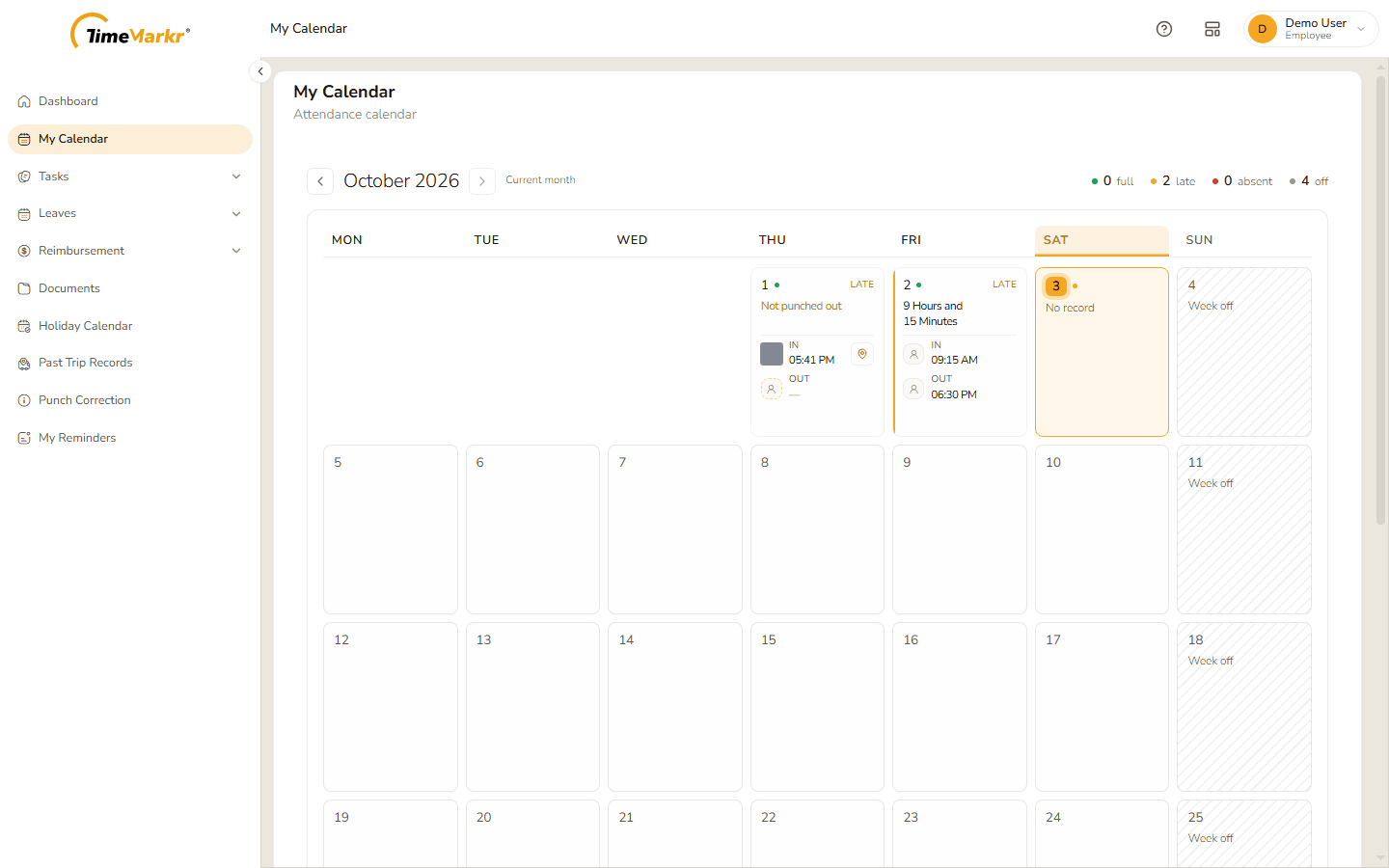
1. The month
- The arrows beside the month name move to the previous and the next month; Current month brings you back to this one.
- The counters at the top right sum the month up – for example 0 full, 2 late, 0 absent, 4 off.
- Today's column is highlighted and today's day number sits in an amber circle.
Each day is a small card:
| What the card says | What it means |
|---|---|
| The day number with a green or amber dot | The day's status: green for a full day, amber for a late or still-open day. |
| LATE | You punched in after your shift started. |
| IN and OUT with times | Your punch-in and punch-out. A small photo and a location pin show that the punch was made with a photo and a place. |
| Not punched out | You punched in but have not punched out. |
| 9 Hours and 15 Minutes | The hours worked on a finished day. |
| No record | Nothing was recorded on that day. |
| Week off (hatched) | A weekly off or a holiday. |
A key at the bottom of the page explains the marks – Full day, Late / open shift, Today, Week-off / holiday, No record and Overtime.
2. A day in detail
Click a day to open it.
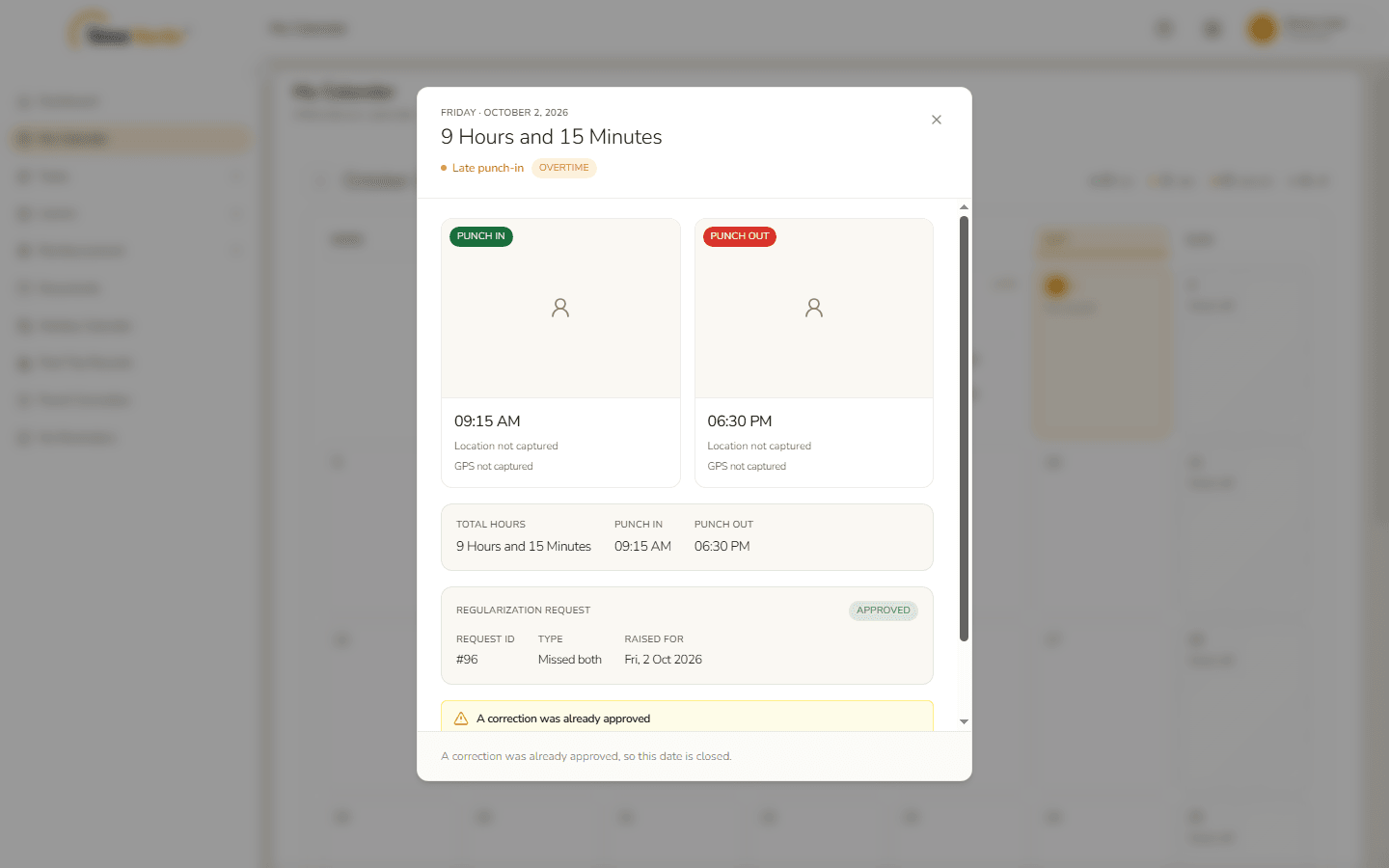
- The top shows the date, the hours worked and tags such as Late punch-in or Overtime.
- Punch in and Punch out each have a card with the photo taken at the punch, the time, the location and the GPS position – or Location not captured when there is none.
- Total hours repeats the hours worked with the punch-in and punch-out times.
- Regularization request appears when you have asked for a correction for the day: its number, type and status. A day that can still be corrected has a Request correction button at the bottom – see Punch Correction for what happens next.
Click × to close the day.
Related: Punch Correction · Dashboard · Holiday Calendar